Citrix XenDesktop Monitoring & Troubleshooting
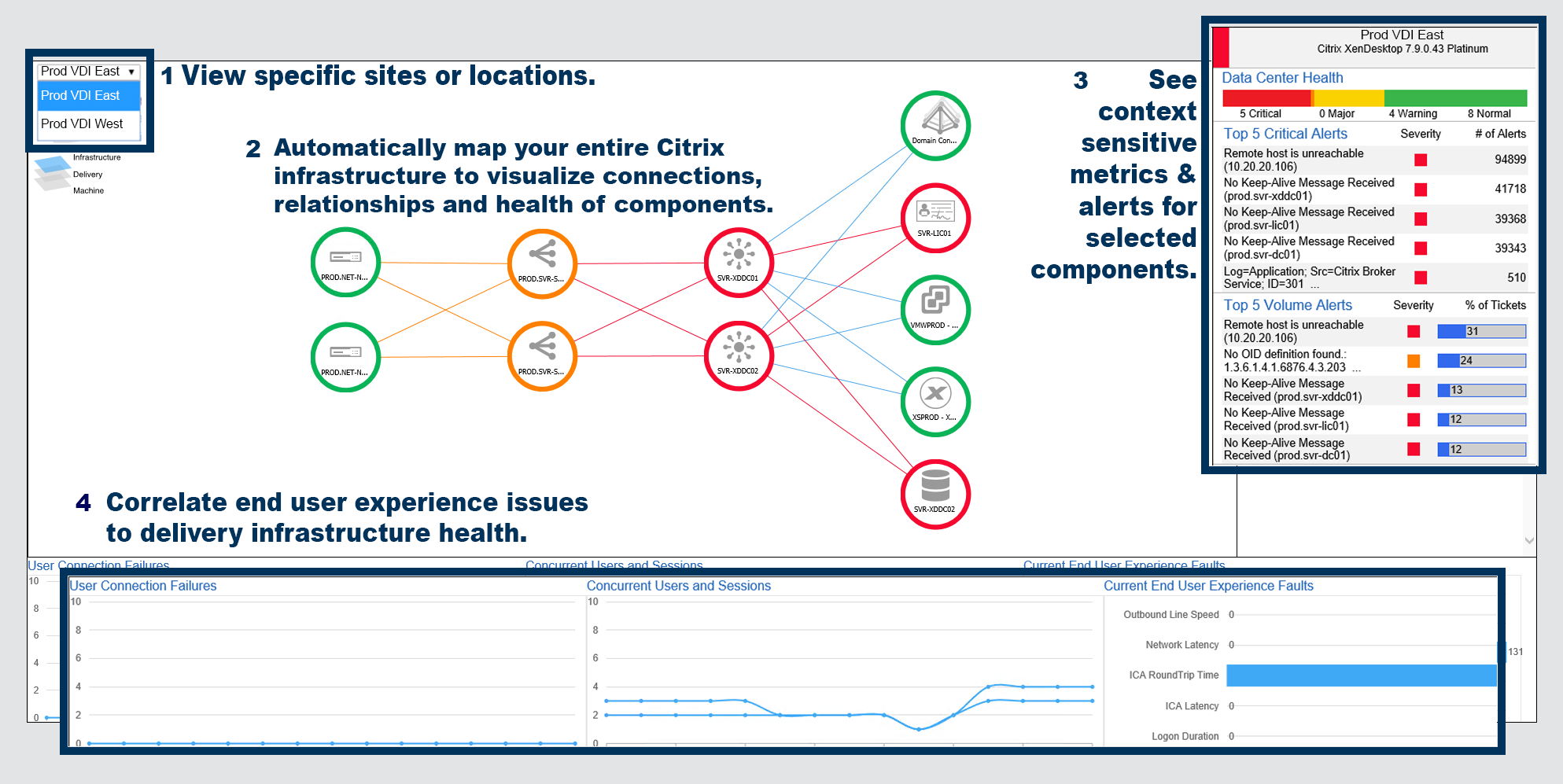
Goliath Performance Monitor is the only Citrix XenDesktop performance monitoring and troubleshooting solution that brings together Citrix XenDesktop monitoring data as well as metrics from the underlying delivery infrastructure in a single console. Monitoring all of the IT components involved in delivering a good end user experience is the only way to proactively monitor and troubleshoot Citrix XenDesktop.
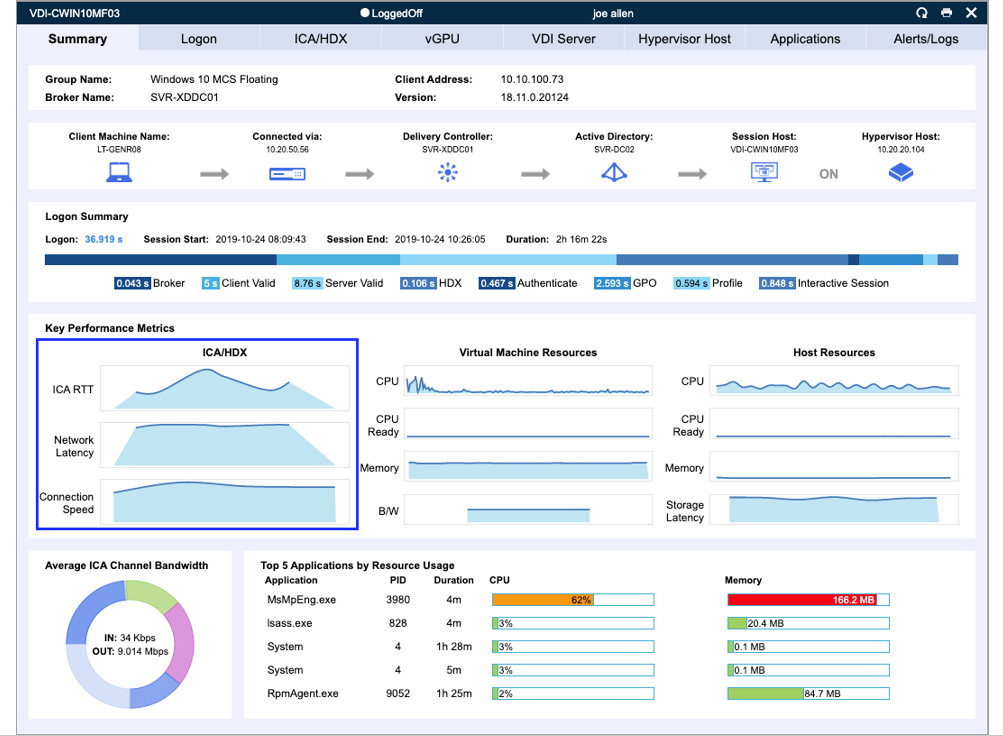
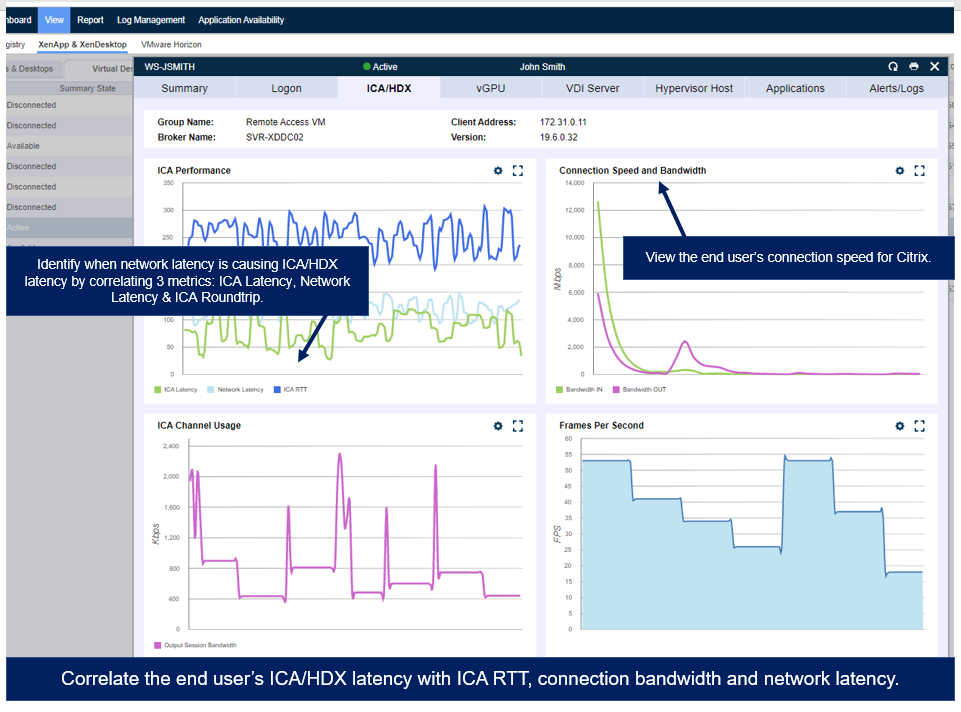
* Click above for a screenshot tour of Goliath Performance Monitor for Citrix xenDesktop
Troubleshooting End User Experience Issues
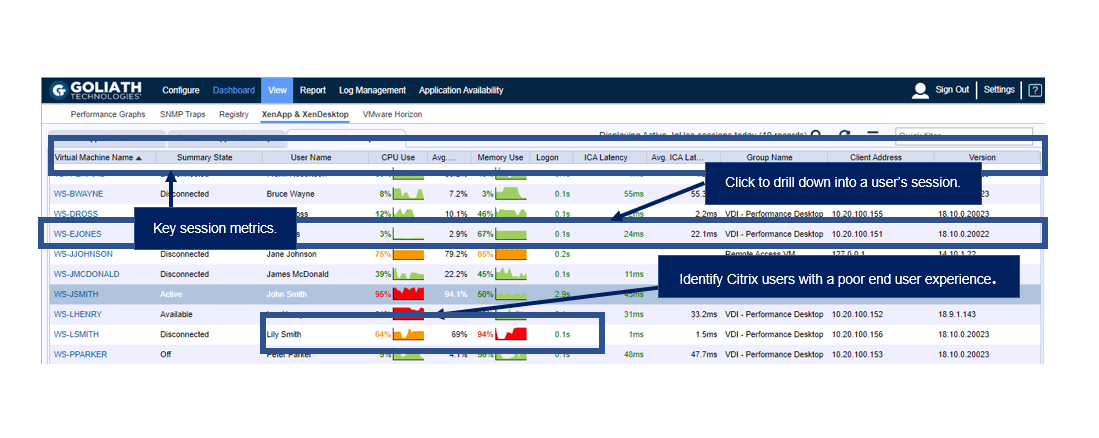
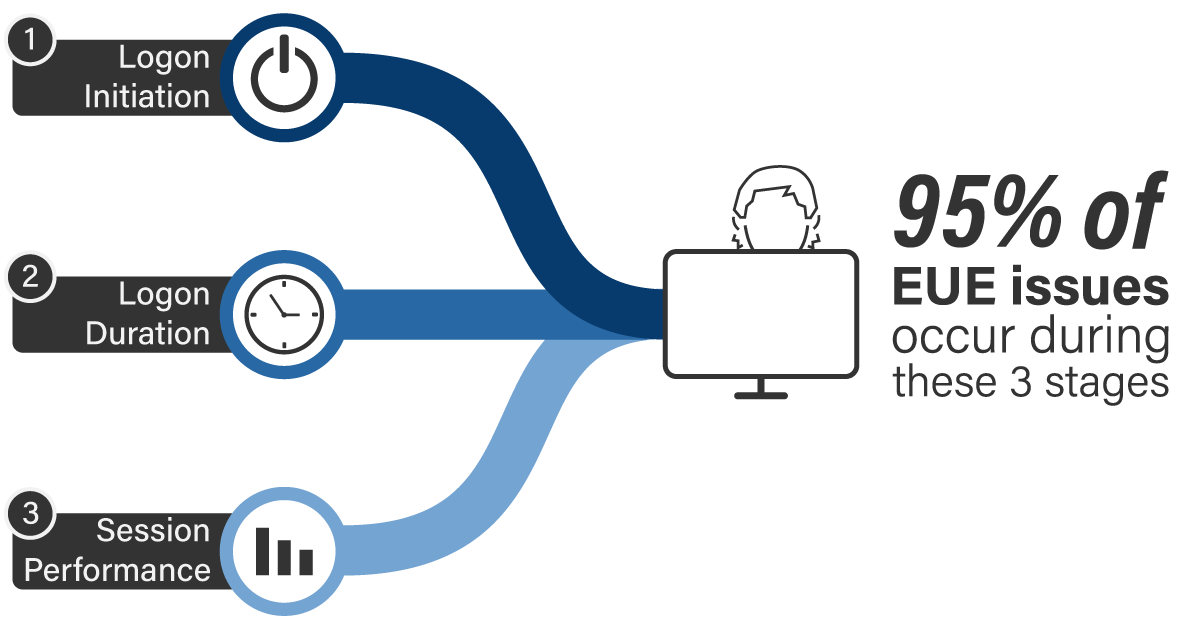
Goliath Performance Monitor provides broad and deep visibility that allows you to troubleshoot Citrix XenApp with the most comprehensive performance data available. Now, support teams and administrators can quickly identify exactly where in the delivery infrastructure a problem is occurring and what specific factors are contributing to the issue. This means specific root cause is identified more quickly and problems are resolved with minimal impact on end users. Our tools troubleshoot end user issues in many areas, but we find 95% of issues are found in three areas: session initiation, logon duration, and session performance. Goliath is built to proactively anticipate, troubleshoot and prevent the issues. This real-time Citrix XenApp monitor will allow you to see all 33 stages of logon process, all HDX channels and individual session performance metrics. Armed with this data you can troubleshoot & resolve issues such as:
- Citrix XenApp Session Slowness
- Citrix XenApp Printing & Profile Issues
- Citrix XenApp Session Hangs
- Citrix XenApp Slow Logons
- Application Latency & Crashes
- Random but Persistent Performance Issues
Monitoring: End To End Visibility
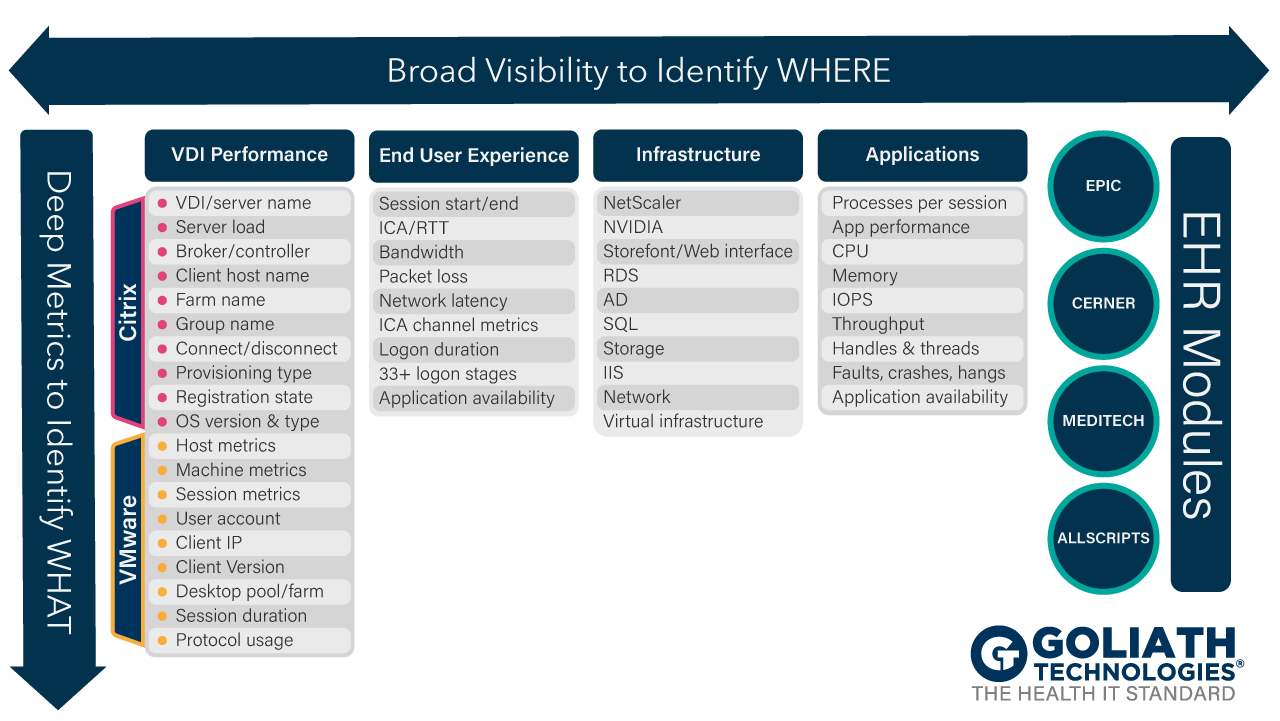
With Goliath Performance Monitor you get complete, proactive, end-to-end visibility into the underlying Citrix XenApp delivery infrastructure, including specific details on the end user not available to native tools. This allows you to quickly pinpoint true root cause for troubleshooting and resolution from an integrated view of the entire virtualized delivery infrastructure – not just one element of it.
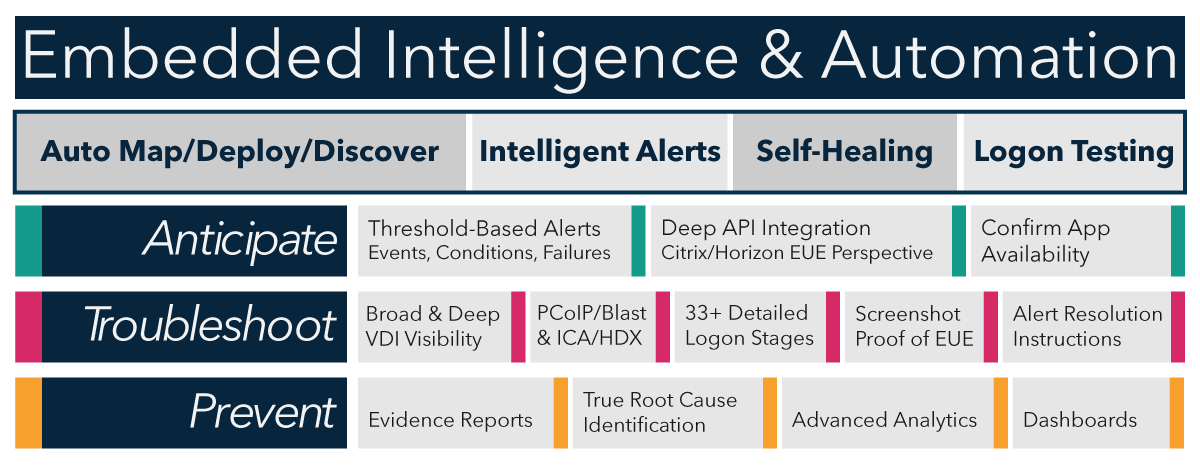
Embedded Intelligence & Automation
Goliath IT Operations software includes Embedded Intelligence and Automation that, out of the box, will automatically:
- Deploy to your IT Infrastructure * Monitor over 250 key failure points
- Provide intelligent alerts on events, conditions and failures
- Provide options for on-demand remediation of issues.
This embedded intelligence tells you what to monitor and how. You don’t have to be a VDI expert to to proactively anticipate, troubleshoot, resolve, and prevent performance issues in the most complex environments. Goliath Performance Monitor has the Virtualization expert included!
Advanced Reporting and Analytics Module
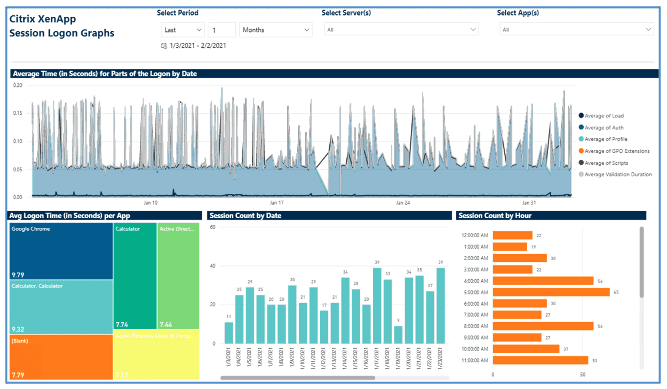
Goliath provides the metrics, details and visualization required to understand the performance and surrounding delivery infrastructure. This includes more than 66 out-of-the-box reports to proactively anticipate, troubleshoot, resolve, and prevent Citrix XenApp performance issues. Customers use these reports to:
- Identify and troubleshoot end user experience issues
- Provide objective evidence of root cause to prevent future issues
- Share data with management or partners to inform business decisions
As individual customer requirements for presentation, analytics, and data correlation may vary greatly, Goliath is adding support for Microsoft PowerBI and Tableau to enable our customers to generate reports and dashboards with all of the flexibility enabled by these platforms.
Self-Healing / Remediation
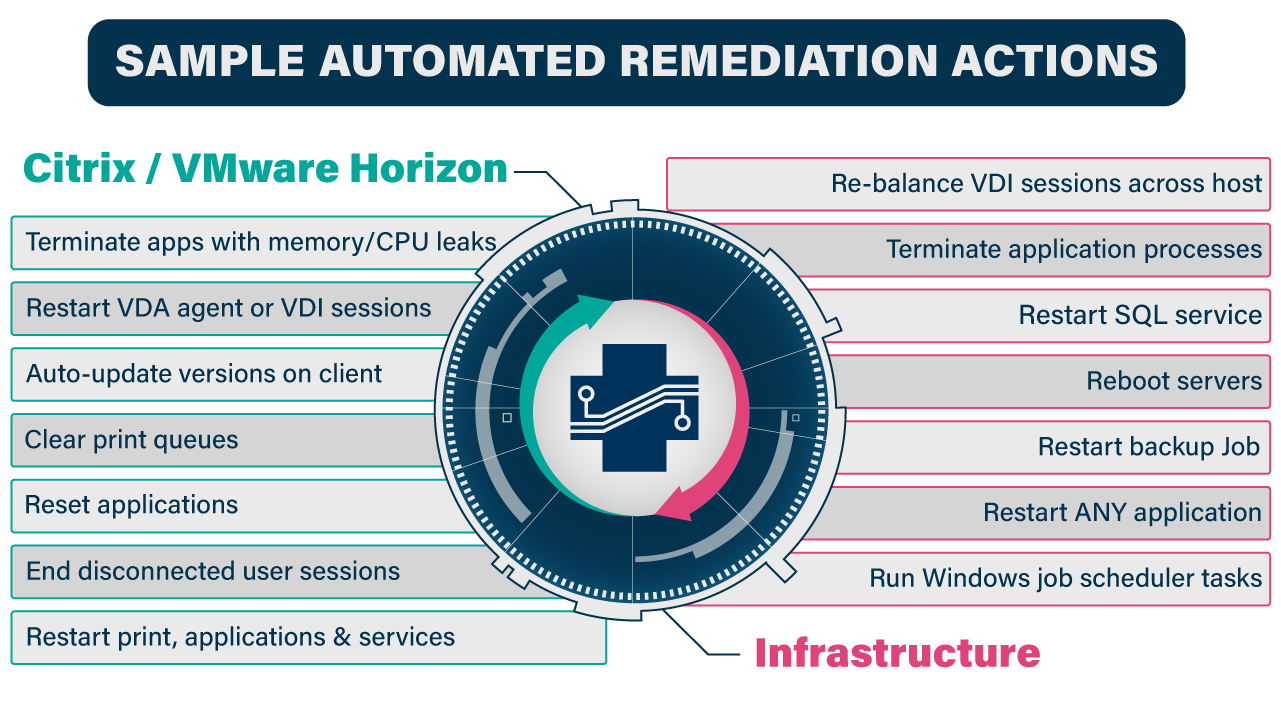
In addition to the out-of-the-box monitoring rules, Goliath empowers users with self-healing and advanced remediation options that take action quickly to restart servers or services as needed when adverse conditions are detected, or thresholds are exceeded.
These actions are triggered by specific faults, events and conditions and execute automatically when these conditions are met to address the issue. Whether it be restarting a service, running a PowerShell script, or even rebooting a server, these are proactive “self-healing” tools that can dramatically decrease time to resolution without waiting for human intervention.